Starkive Manifest
Know what you own, where it is and who has it.
One register for every laptop, phone, server and screen your business owns.
Scan, record, verify, hand over.
Free to download, with a three-day demo. How the demo worksPlansSupport
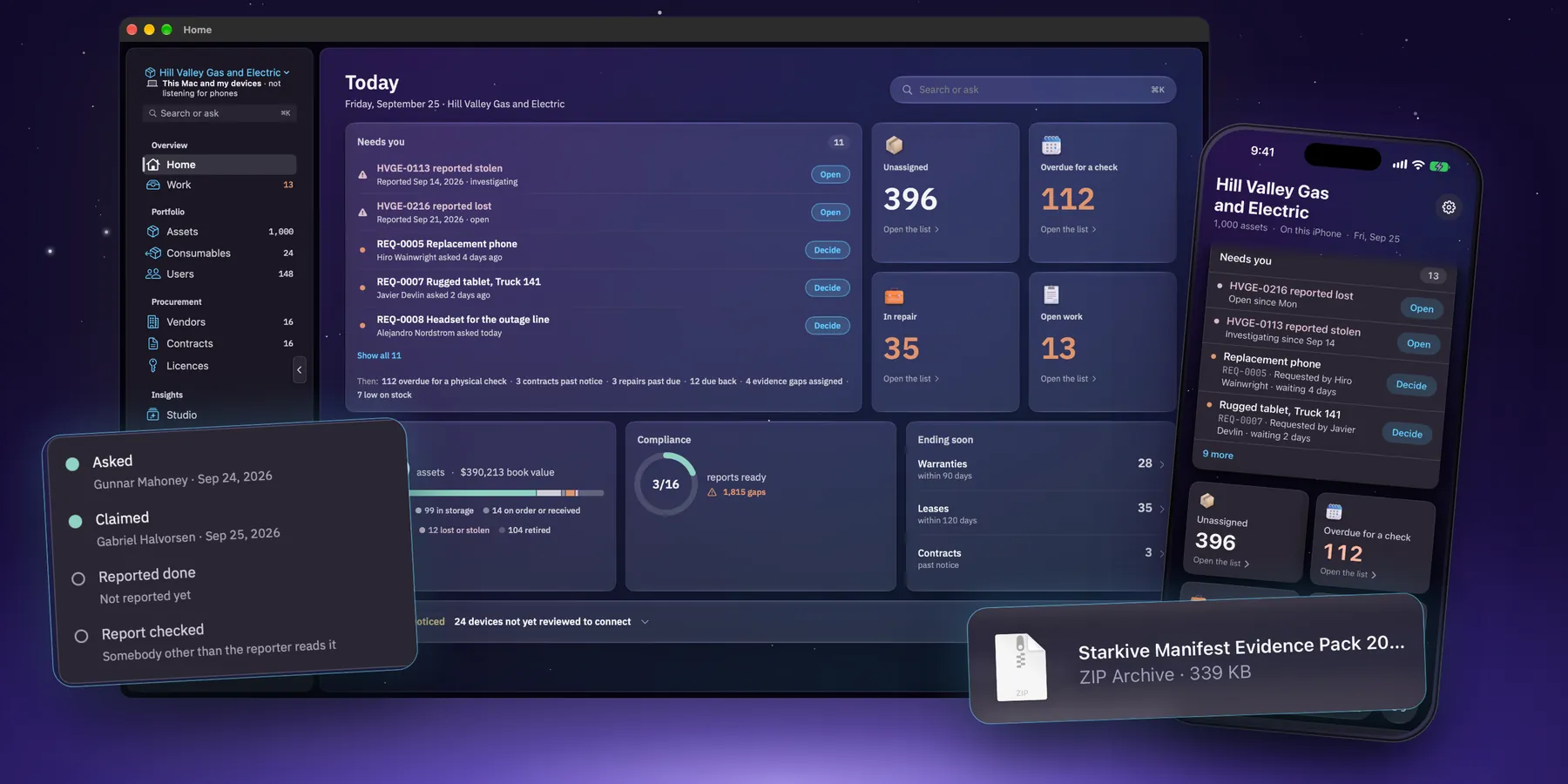
- On the App StoreFor Mac and iPhone. One subscription covers both.
- 72 controlsAcross 12 standards, with 16 evidence reports kept ready.
- No trackingNo analytics, no ads, and no account unless you pick Starkive Cloud.
- Priced by assetsNever per seat. Each plan covers a set number of devices.
Your whole fleet
Every device in one table. In minutes, not spreadsheets.
Bring in the spreadsheet you already have and every machine lands in one place: who has it, where it is, its warranty, and when someone last laid eyes on it. Find any of them by tag, serial, hostname, model, person or site.
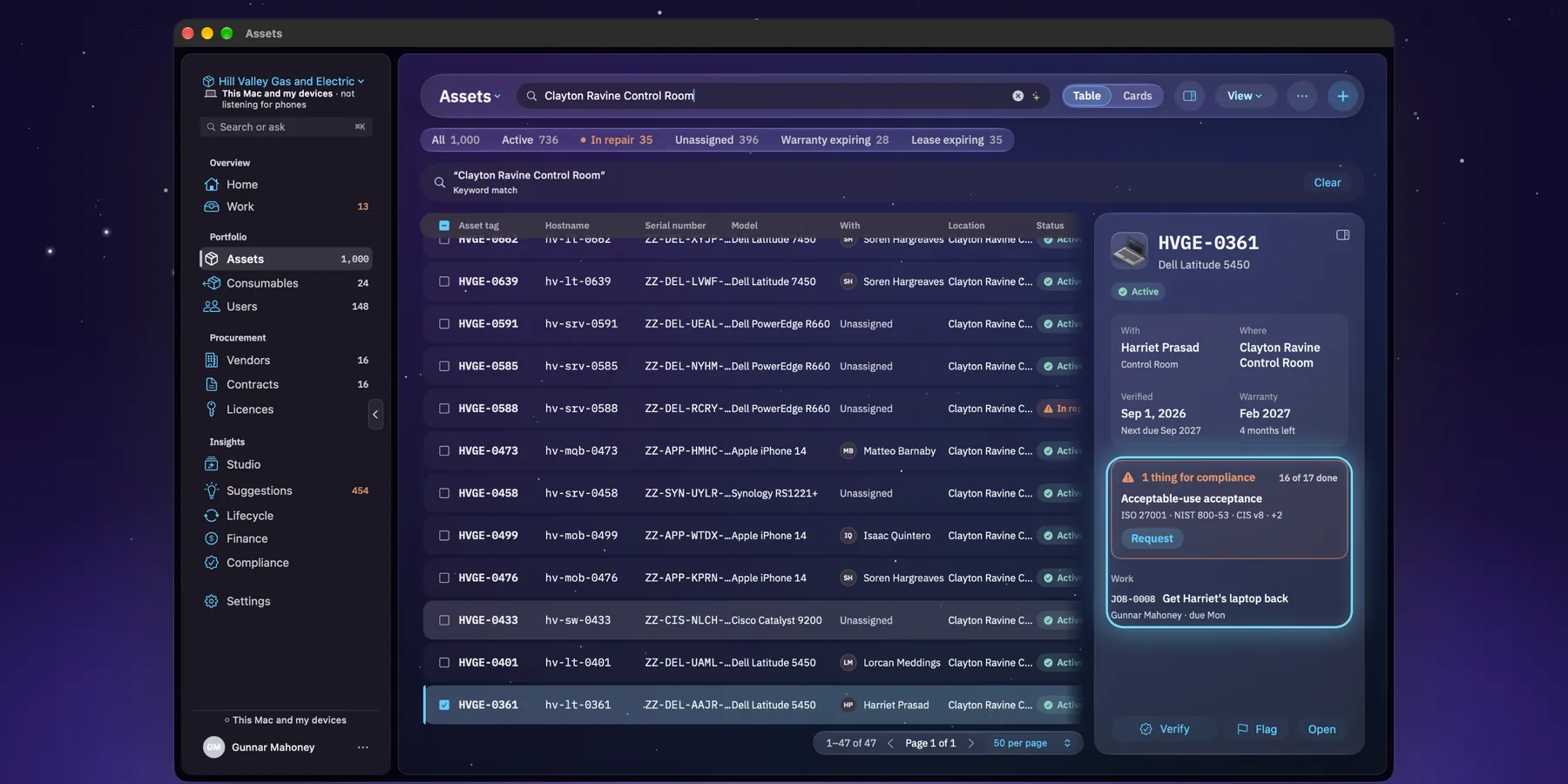
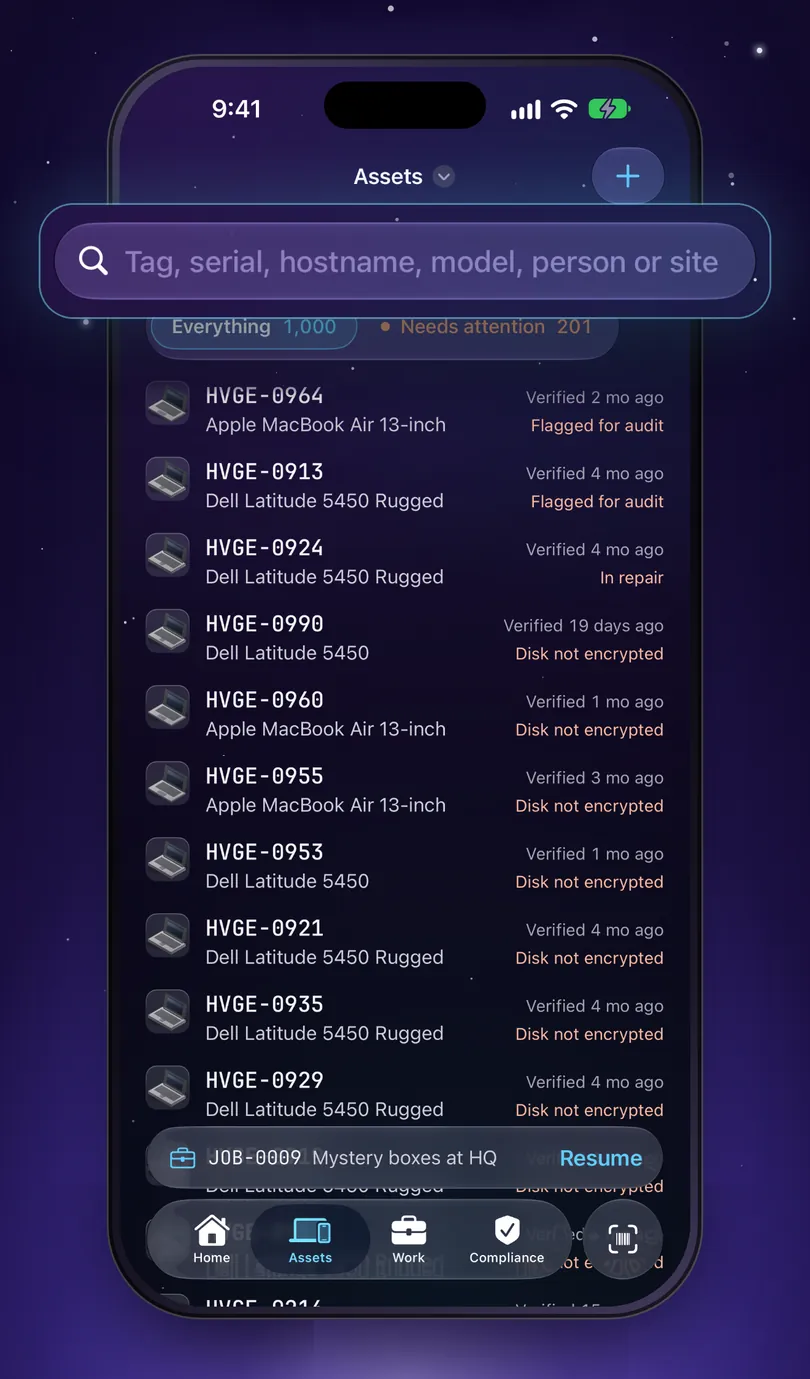
- Import a CSV or another tool’s export. A vendor that turns up two hundred times becomes one vendor.
- Bring devices and people in from Intune and Entra, Jamf Pro and Okta.
- Filters for what needs you: unassigned, in repair, warranty or lease running out.
- People who have left but still hold kit, listed so you can get it back.
The asset record
Every detail. And where it came from.
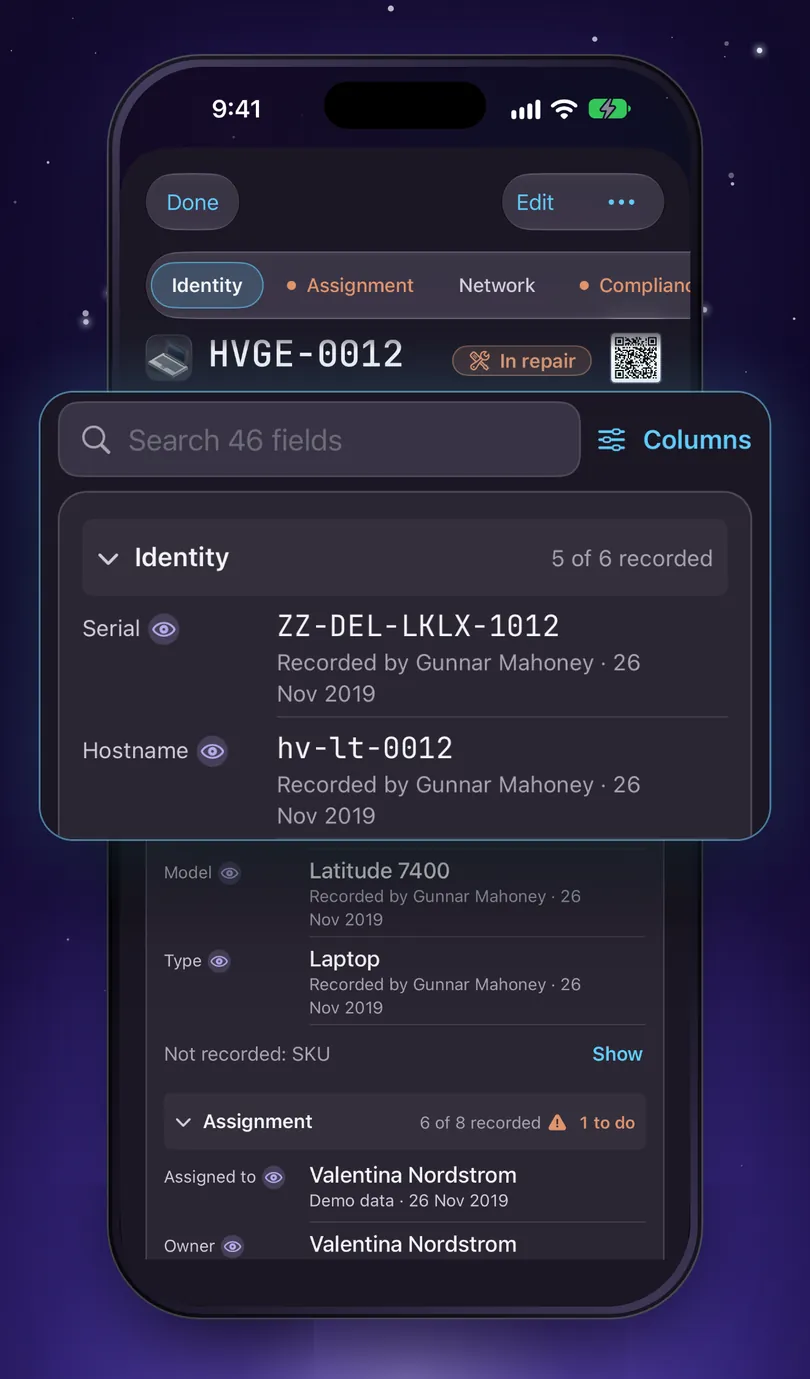
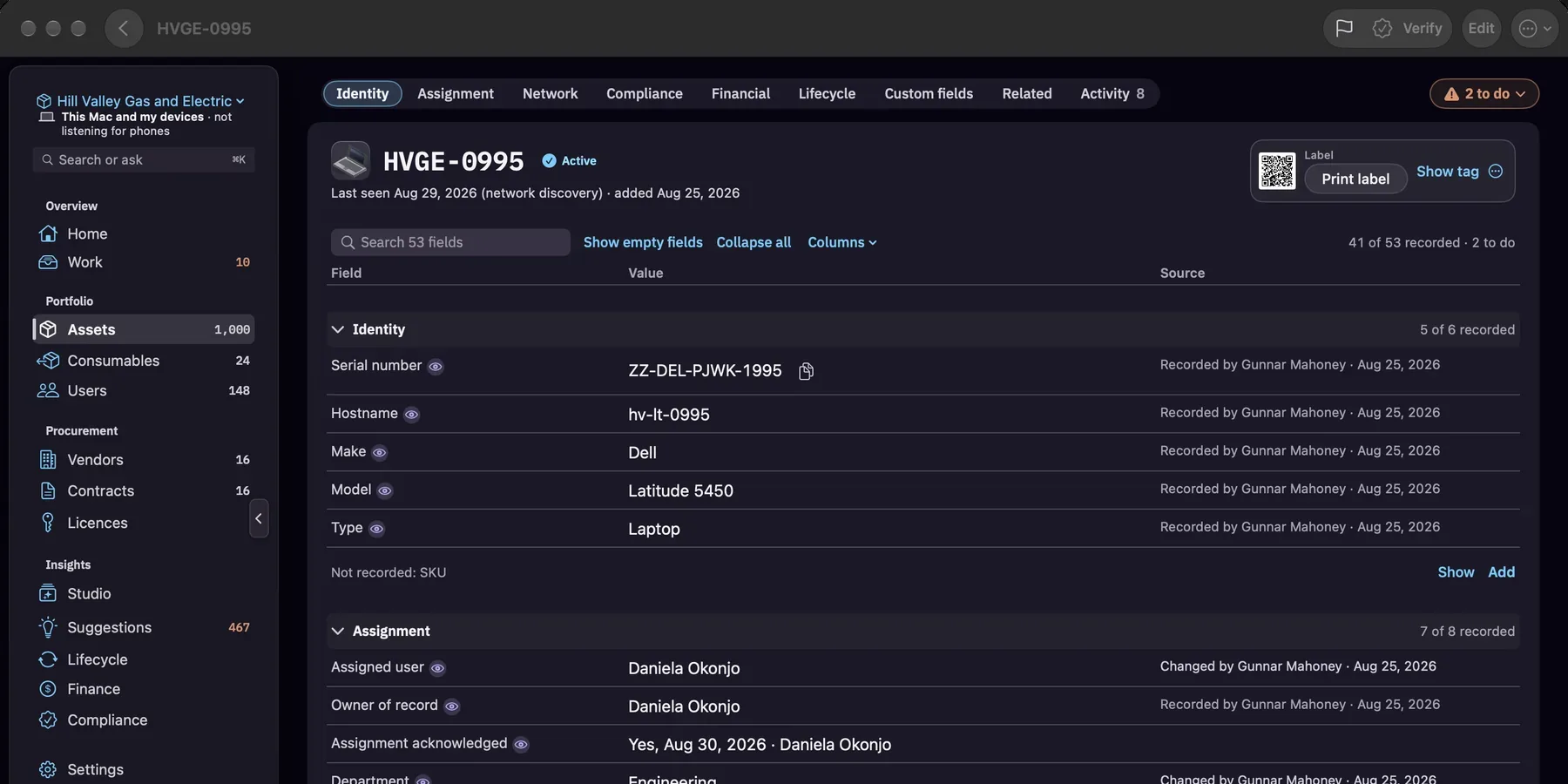
Open a machine and every field sits in one table: the field, its value, and where that value came from. Who recorded it and when, or which import, sync or scan brought it in. When an auditor asks how you know, the answer is already on the screen.
- Search a record’s own fields, so the one you want is a few letters away.
- Pick what shows under each value with Columns: the source, who changed it and when, which standards need it, or what it was before.
- Show empty fields on the Mac, or tap Show on the phone, to see exactly what is missing.
- Add your own fields, like cost centre or IMEI, choose which section they show under, and keep any of them off Starkive Cloud.
- Anything a standard needs and the record does not have is marked, with an Add button right there.
The Assets map
Every site. On one map.
On the Mac, switch Assets to the map and see what each site holds at a glance. Click a site for its assets, and a row for the record.
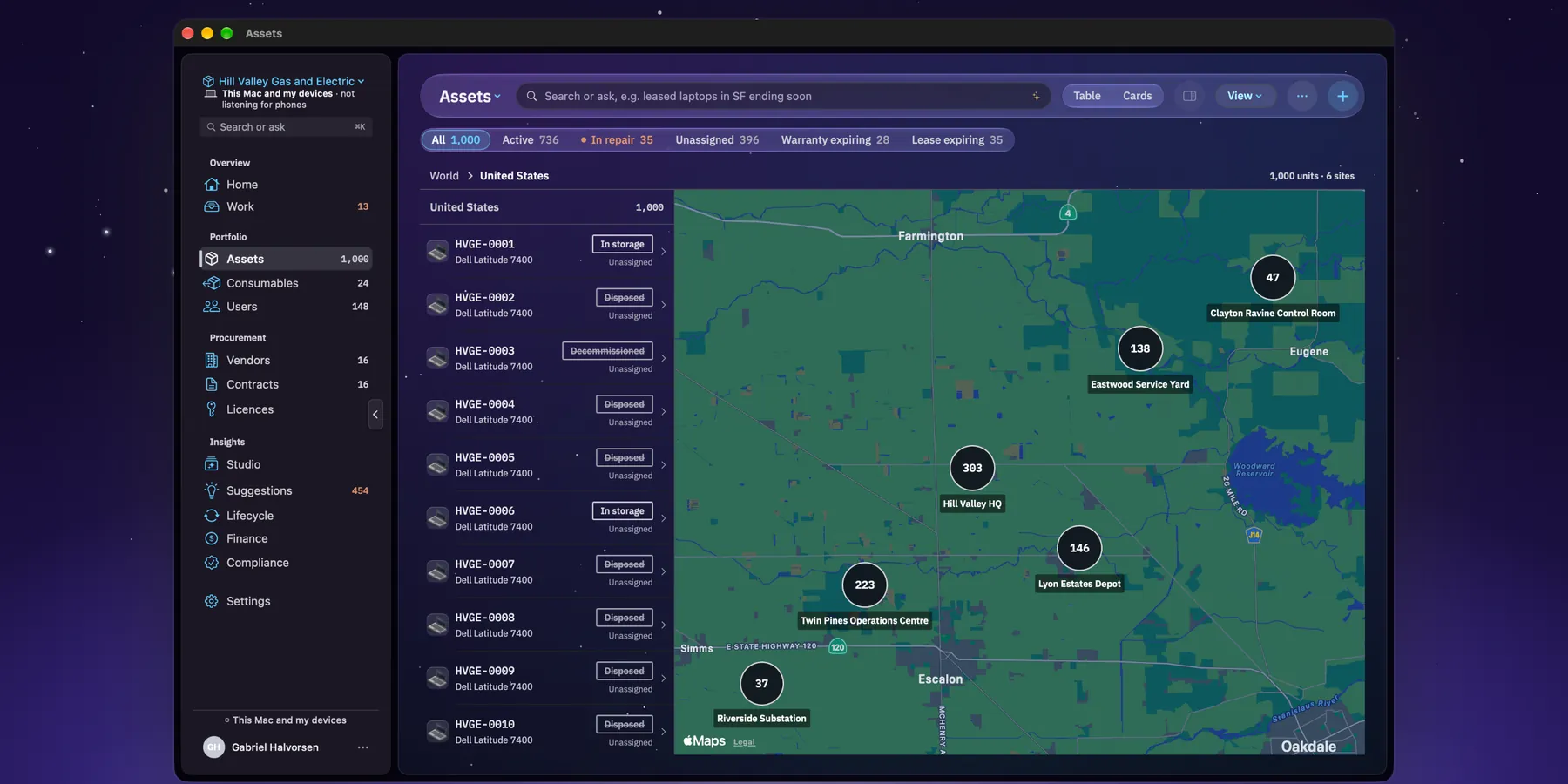
A map of sites, not a tracker. Each site is placed by an address looked up once through Apple, or by a pin you drop yourself. Only the address is sent, never asset data, and nothing follows where a device is right now.
Audits
Audit day? One pack.
Answer a few questions about your organisation and Manifest works out which standards apply to you. It maps your register to 72 controls across 12 standards and keeps 16 evidence reports ready. When the auditor asks, you hand over one file.
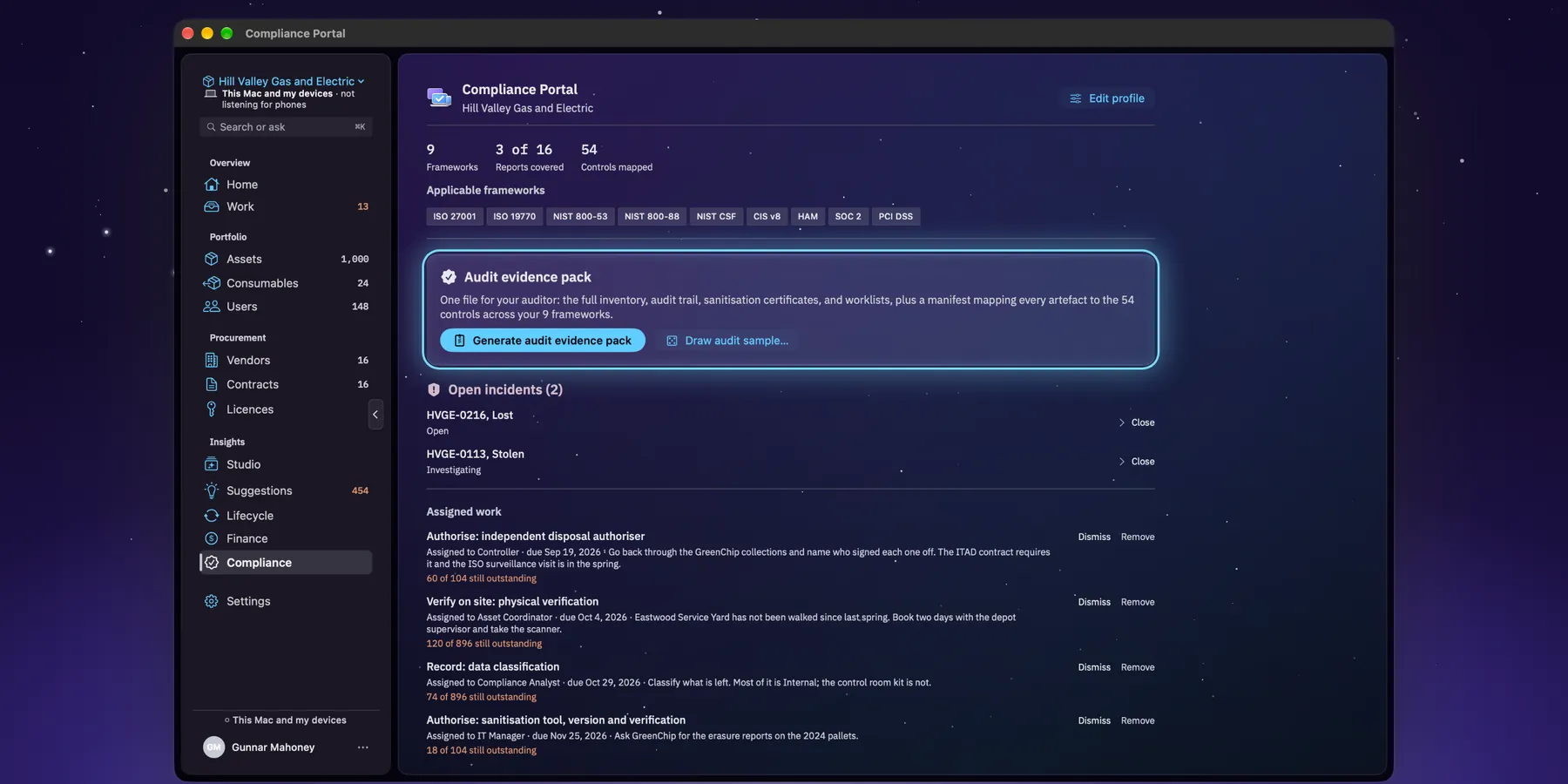
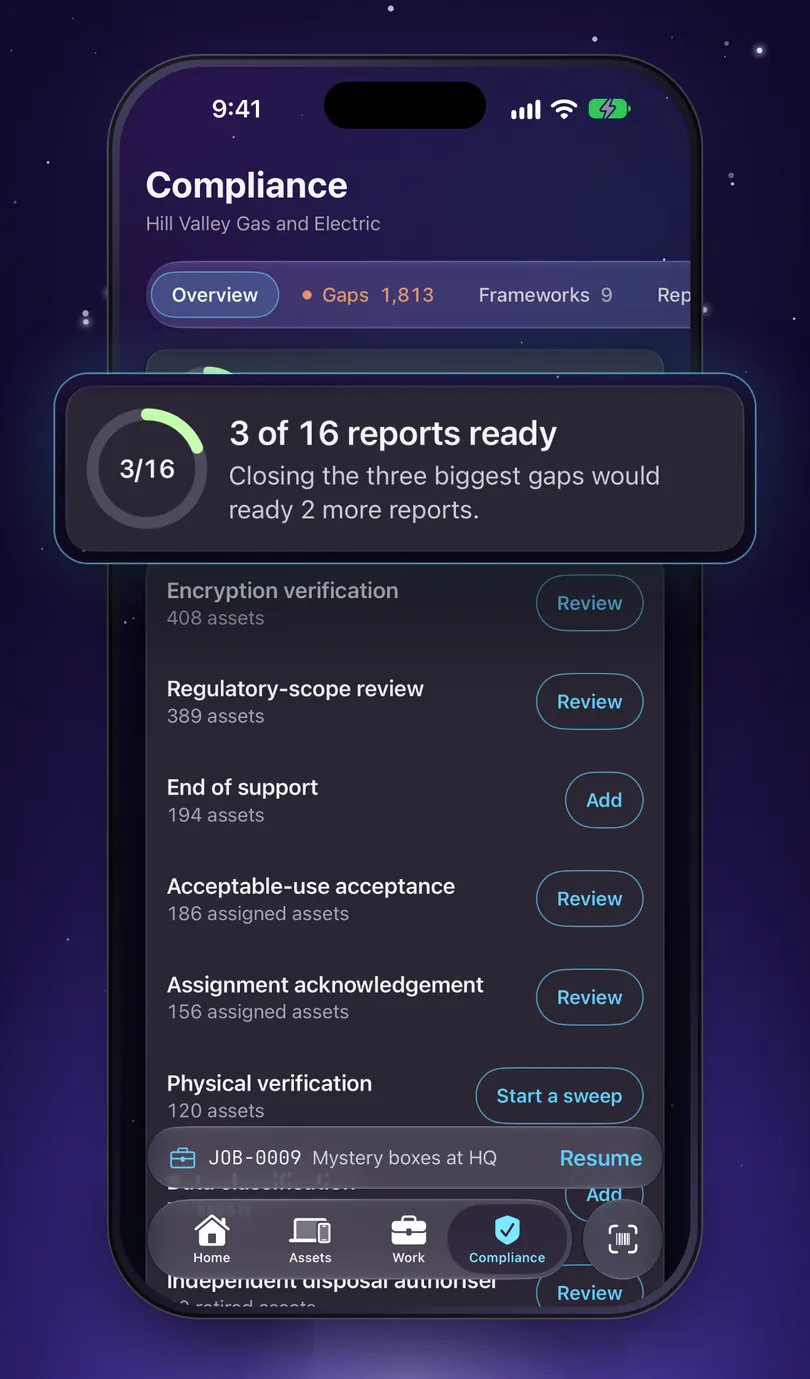
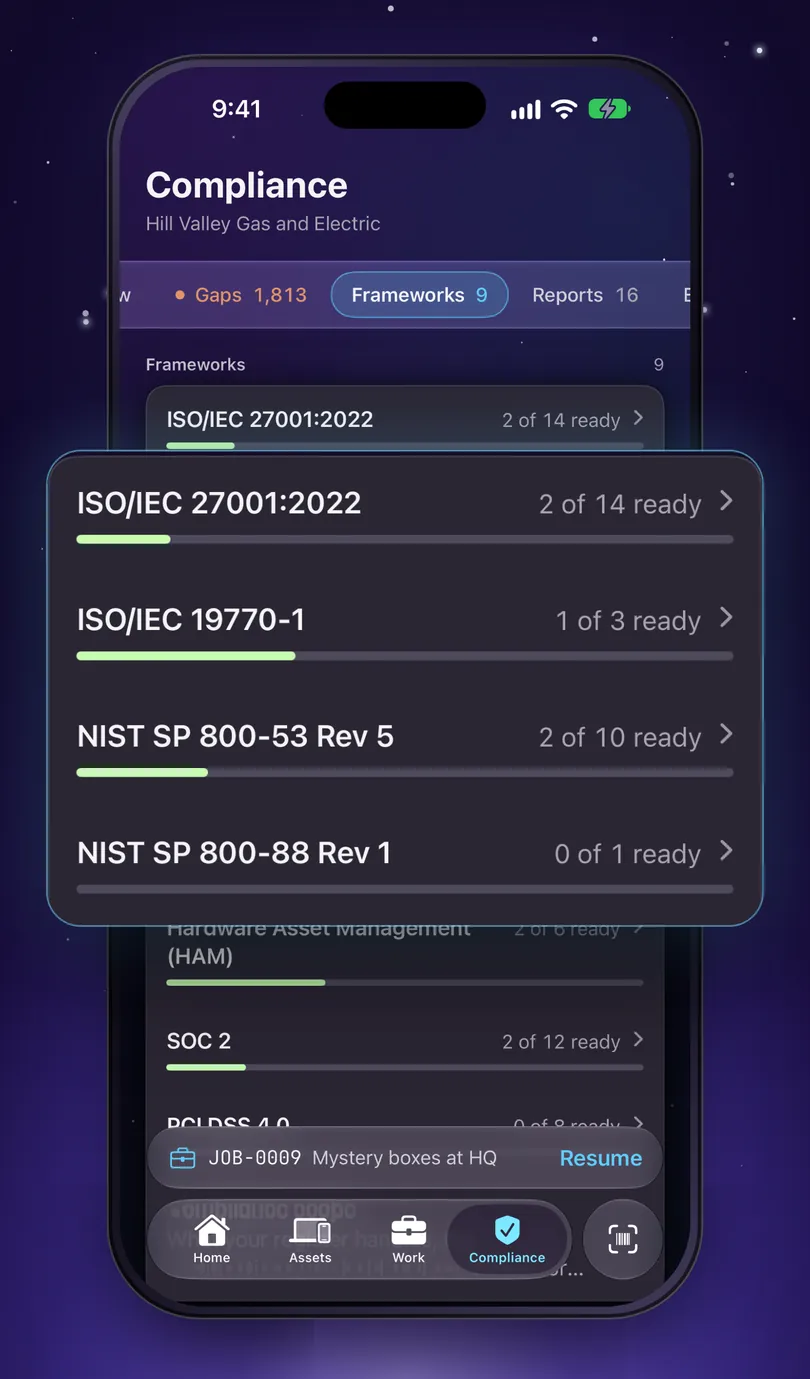
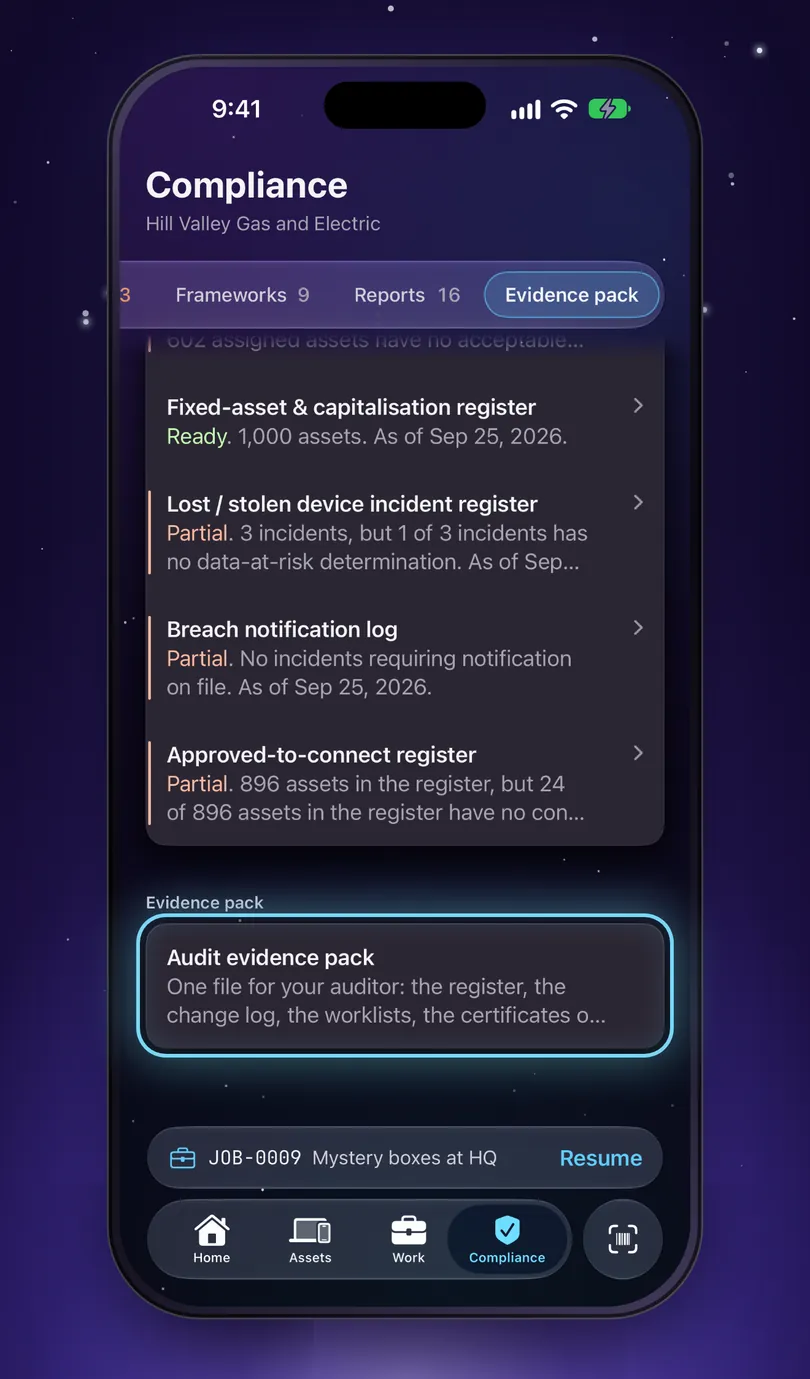
- Gaps show on the asset itself, each with the next step, so fixing one is a click away.
- Every report says what it is missing and who has to close it.
- The twelve: ISO 27001, ISO 19770, NIST 800-53, NIST 800-88, NIST CSF, CIS v8, SOC 2, PCI DSS, HIPAA, GDPR, SOX and Hardware Asset Management (HAM).
Try it on your own organisation
Answer it the way the app asks you to
Four frameworks apply to any hardware register and are never switched off: NIST CSF, CIS v8, NIST 800-88 and HAM practice. Everything else is derived from the answers, once, and never guessed at from your data.
What this cannot show you is whether the evidence is actually there. That is a question about your register, and the app answers it on the same screen, by name, and by who has to close each gap.
Applicable frameworks
- NIST 800-88
- NIST CSF
- CIS v8
- HAM
- PCI DSS
The reports your pack would carry
- Hardware Inventory5 controls
- Asset Assignment & Acknowledgement2 controls
- Media Sanitization Certificates3 controls
- Disposal Authorization & Chain of Custody2 controls
- Overdue Physical Verification1 control
- Orphaned Assets1 control
- Audit Trail1 control
- End-of-Life, Warranty & Refresh4 controls
- Asset Classification Register2 controls
- Regulatory Scope Register2 controls
- Encryption Register3 controls
- Acceptable-Use Policy Attestation2 controls
- Fixed Asset Register1 control
- Incident Register1 control
- Breach Notification Lognot required
- Approved-to-Connect Register3 controls
Manifest gets the evidence ready. Whether your controls satisfy your auditor is between you and them, so we never tell you that you pass.
Mac and iPhone
One register, at your desk and in the stockroom.
The iPhone app is a smaller build of the same product, not an add-on. It holds the register itself, so it works in a basement with no signal and catches up later. One subscription covers both.
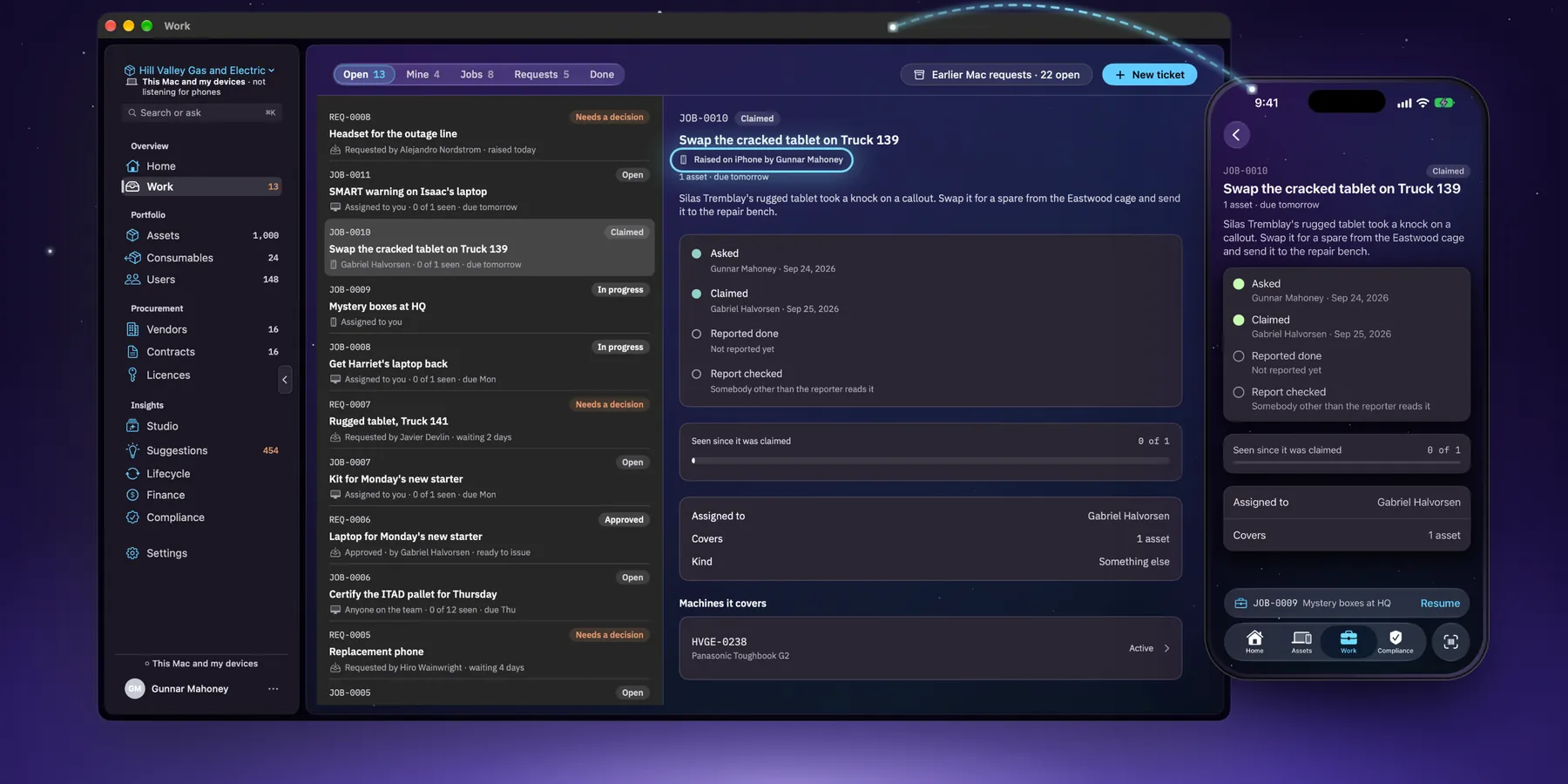
Work that moves with you
Jobs and requests in one list, each with a number you can say across a room, like JOB-0010. Raise one on the phone, hand it out, and someone else checks it’s done. It crosses between Mac and iPhone on your own network or through Starkive Cloud.
Set up from either one
An admin can name the organisation, pick a plan and answer the compliance questions on the phone with no Mac in the building. Some work still wants the bigger screen, like Studio’s dashboards, and the phone says so rather than pretending.
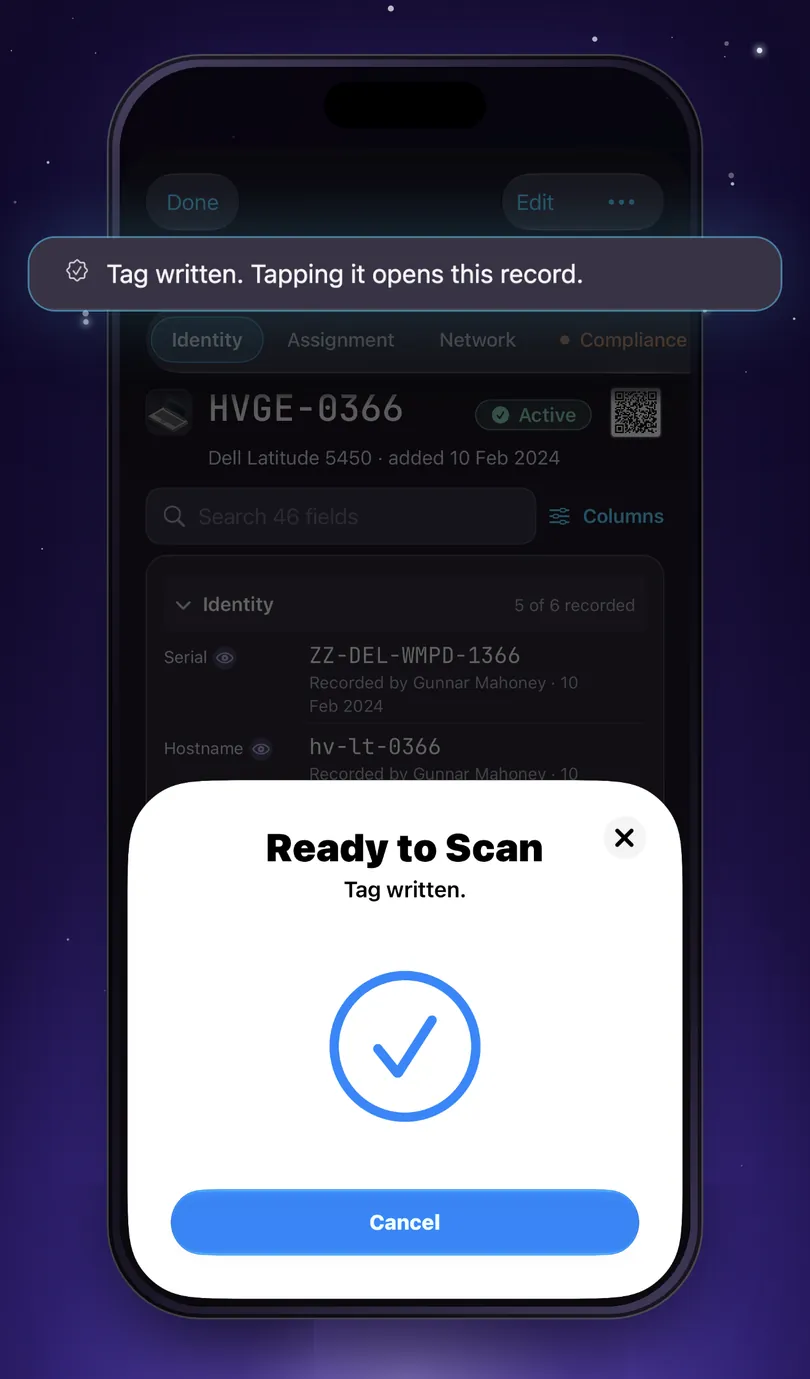
Tap a tag and the asset comes up
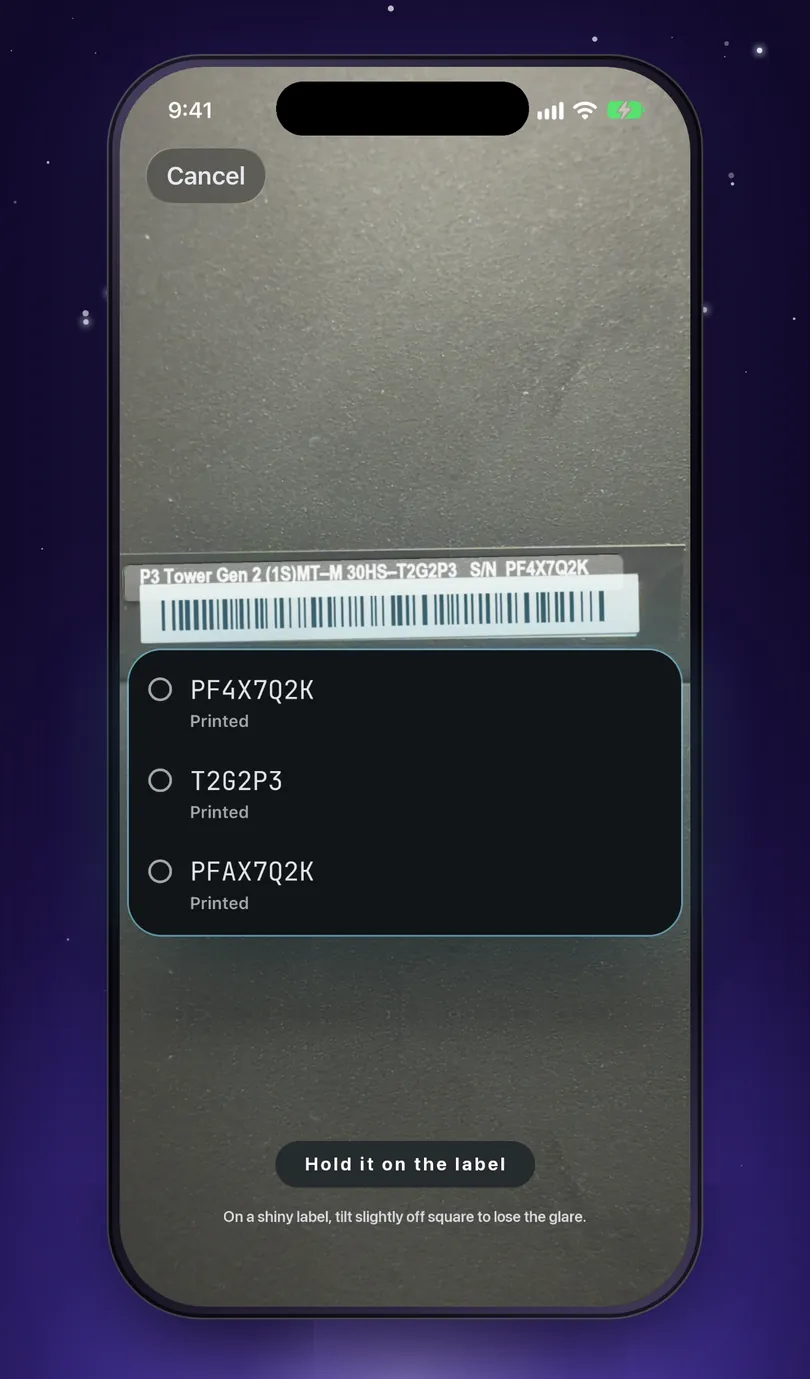
Write an NFC tag from the record, stick it on the machine, and a tap of a phone with your register on it opens that record again. Or point the camera at a label and pick the serial from what it read.
- A tag holds a link and nothing else. No asset number, no serial, no names.
- Printed QR labels open the same record, for kit a tag won’t stick to.
- Verify is its own tap, so you always know what was recorded.
What no iPhone can do, so we won’t imply it. Nothing is recorded by walking past. If the app is closed, iOS may show a banner when the phone reads a tag, and nothing happens until someone taps it.
Private by design
Your asset list is sensitive. It stays yours.
It says what you own, where it sits, who uses it and what you paid. So Manifest keeps it as close to you as you want, AI included.
- 01
You choose where it lives
Keep the register on this Mac and your own devices, or sync through Starkive Cloud. You pick once at setup.
- 02
Sealed before it leaves
On Starkive Cloud, photos, certificates, custom field values and other sensitive fields are encrypted on your device with a key we never receive.
- 03
The AI stays on your Mac
Ask a question in plain English and Apple Intelligence answers it on the Mac. Your register is never sent off to be summarised, and never used to train anything.
- 04
Nothing watching
No tracking and no analytics. The only thing that reaches us is a support message you choose to send.
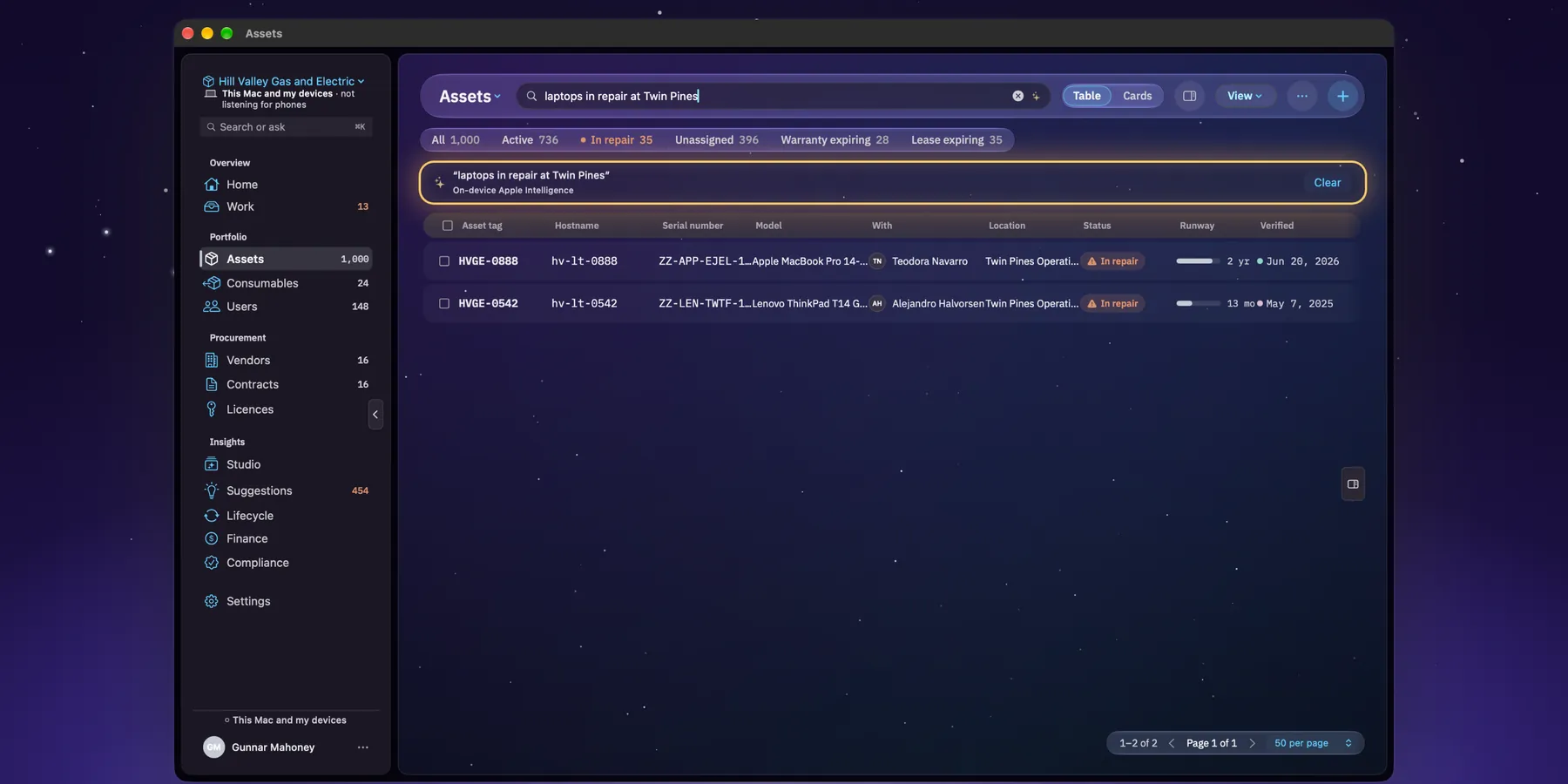
Ask it in English
Type what you want to know and Manifest turns it into a search, a dashboard or a report, using Apple’s on-device models. No per-question charges and no AI add-on at renewal.
Asking needs a Mac with Apple Intelligence. Everything else works without it, and when an answer came from keyword matching rather than the model, Manifest says so.
Two places your register can live.
You choose once at setup, and that choice governs every sync afterwards.
This Mac and my devices
The register is a file on your Mac, and your iPhone syncs with it across your own network, over an encrypted link. None of your inventory reaches us and there is no account. The Mac only answers phones on your network once you switch that on.
Starkive Cloud
Your devices sync through our servers, so a Mac and a phone agree without sharing a network. We hold your inventory, but the sensitive parts are sealed on your device with a key we never receive, so we couldn’t read them if you asked. A field you keep off Starkive Cloud never reaches us at all.
The security page and the privacy policy list exactly which fields are sealed.
How it works
Up and running in three steps.
Download it and open the demo
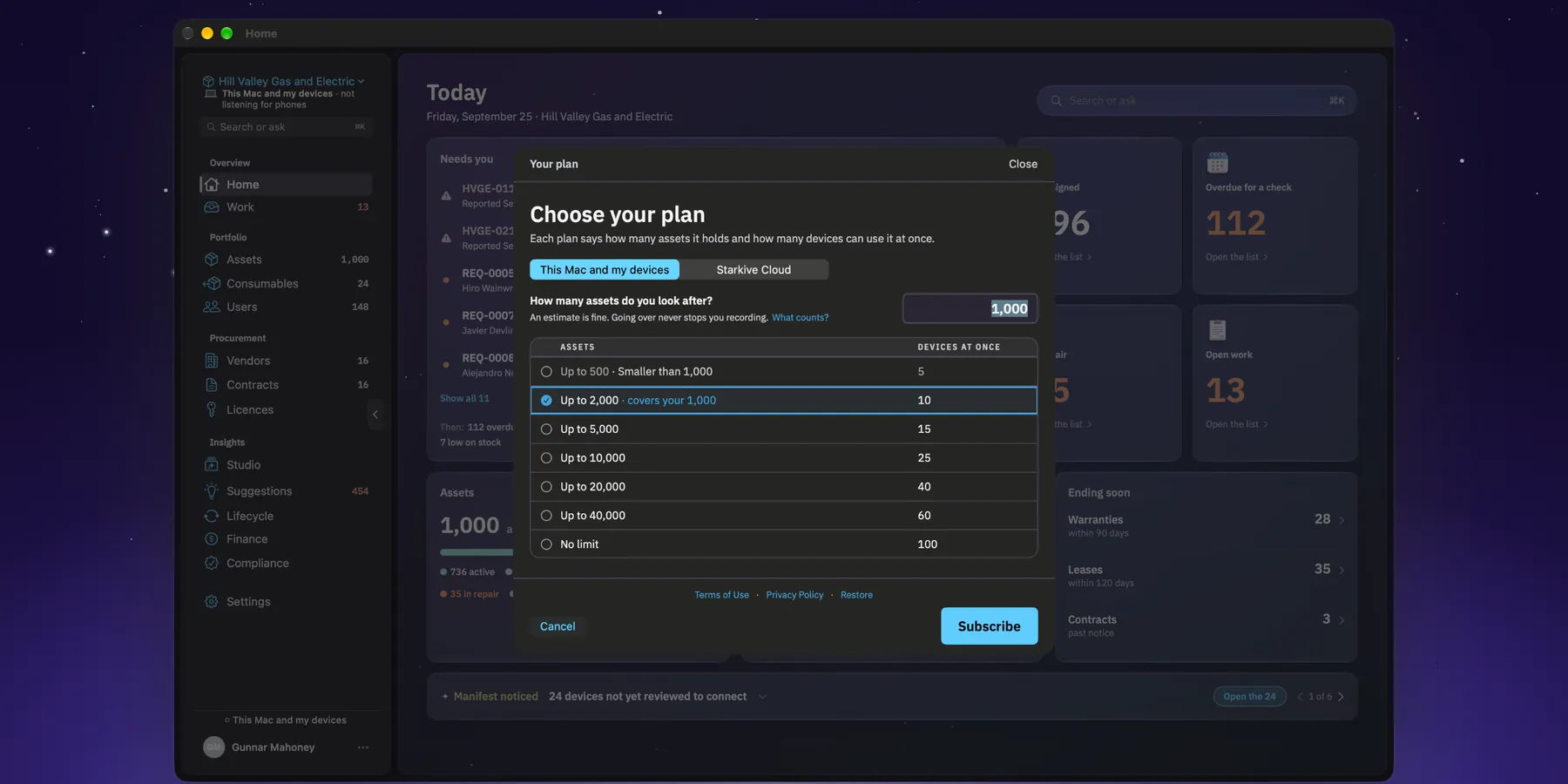
It's free. The demo is a made-up company, Hill Valley Gas and Electric, with 1,000 assets, its people, contracts and paperwork all filled in. You get three days from when you first open it, not from install. No card needed.
Pick where it lives, and a plan
This Mac and my devices, or Starkive Cloud. Plans go by how many assets you track, and your own register starts when you choose one.
Bring your assets in
Import a spreadsheet, sync from Intune, Jamf Pro or Okta, or add machines on the phone as you walk the floor. Answer the scope questions and the evidence reports start filling in.
An app that locks you out of your own register has made its billing calendar your compliance problem.
So if a subscription ends, only adding and editing stop. Reading, reporting and exporting keep working.
The whole lifecycle
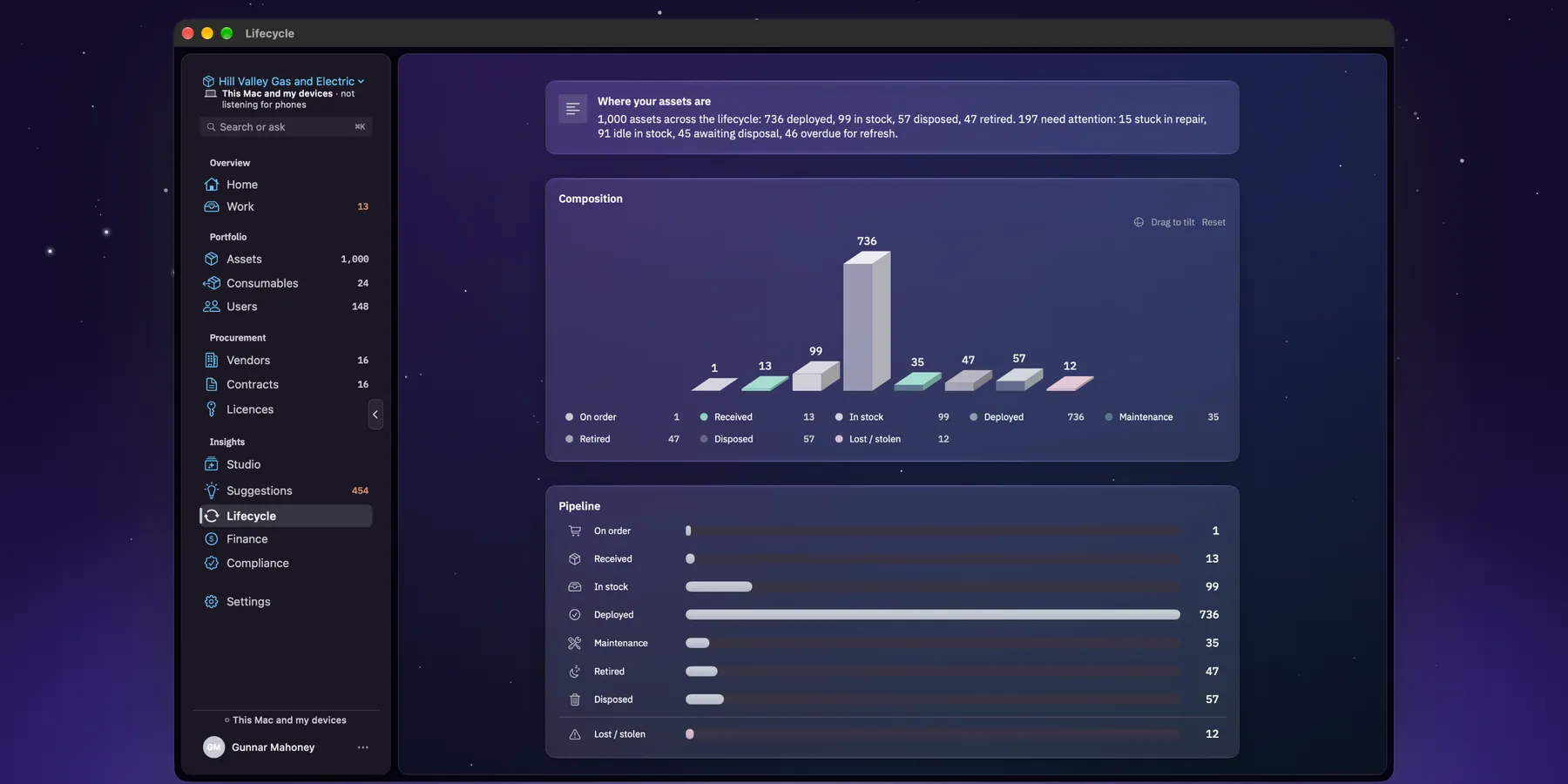
From unboxing to recycling.
Every stage leaves a record behind it, which is why the evidence already exists when somebody asks for it. None of this is a module you buy separately.
- 01
Contracts and leases
Vendors, contracts, lease schedules and renewal alerts, so nothing lapses or renews behind your back.
- 02
Licences
Seats bought against seats actually assigned to hardware, with over-allocation flagged before the vendor finds it.
- 03
Finance
What the fleet costs to run each month and year, split into operating and capital spend, by cost centre, site or device type.
- 04
Refresh and disposal
Refresh forecasts by quarter, end-of-life tracking, and disposal with NIST 800-88 sanitisation certificates.
- 05
Stockrooms and consumables
Spares, toner and cables with reorder points, so the closet stops being a mystery.
- 06
Requests and repairs
Kit requests approved and fulfilled, repairs and vendor returns tracked, with a record of every hand-over.
Where this stops
There is no software discovery. Licences are tracked as records: seats bought against seats assigned, renewal dates and cost. But nothing scans a machine to see what is actually installed on it. So Manifest can tell you that you bought forty seats and assigned thirty-one, and it can’t tell you that eleven more people installed it anyway. If that is what you’re shopping for, this isn’t it yet.
Pricing
From $19 a month, priced by what you track.
Not per seat. One consultant often looks after everything, and the value has nothing to do with how many people sign in.
| Starts at | $19 a month for up to 500 assets on your own devices, or $49 on Starkive Cloud |
|---|---|
| Billed by | Assets tracked, never seats. Seven sizes on each track, up to unlimited |
| Covers | Mac and iPhone on one subscription, and a set number of devices at once, from 5 to 100 |
| Free look | Free to download, with a three-day demo. Your own register needs a plan |
If a subscription ends
Your register stays readable and exportable. It is never locked. Only adding and editing stop. Reading, reporting and exporting keep working, because a client’s register mid-audit shouldn’t hang on a card that expired.
Prices are in US dollars. The App Store shows them in your own currency, and that is what you are charged.
Questions people actually ask.
Can I try it before I pay?
Yes, with the demo. It's a made-up company, Hill Valley Gas and Electric, with 1,000 assets and its people, contracts and paperwork all filled in. Open it from the first screen. It's free for three days from when you first open it, not from install. No card, and nothing of yours goes in it.
Who is it for?
IT consultants looking after other companies' hardware, and small and mid-sized businesses that want to know exactly what they own without handing the list to someone else's cloud. It's priced by assets, not seats, because it's often one person running the whole thing.
Do I need the Mac to use the iPhone app?
No. The iPhone app is a smaller build of the same product. It holds the register itself, works with no signal, and an admin can set up the whole organisation from the phone. If you run both, one subscription covers both.
Where does my data live?
Where you choose at setup. On This Mac and my devices, the register is a file on your Mac and nothing of it reaches us. On Starkive Cloud it syncs through our servers, with photos, certificates, custom field values and other sensitive fields sealed on your device first.
Does it track software licences?
Yes, as records: seats bought against seats assigned to hardware, renewal dates and cost, with over-allocation flagged. What it doesn't do is discovery. Nothing scans a machine to see what is installed.
Will it get us through an audit?
It gets the evidence ready: which standards apply, what each report needs, what's missing and who has to fix it, and one pack for the auditor. Whether you pass is between you and your auditor.
What happens if my subscription ends?
Your register stays readable and exportable. Only adding and editing stop. On Starkive Cloud, the cloud copy is kept read-only for 30 days and then deleted, with an email before that happens. Your devices keep their own copy.
Do I need Apple Intelligence?
Only to ask questions in plain English. The register, compliance, contracts and everything else work without it.
Is this the same thing as Starkive Studio?
No. Starkive Studio is a separate privacy toolkit for Windows and Mac. It shares the Starkive name and nothing else, and there is no bundle.
Something else? The help centre has step-by-step answers, and a person reads every email.
If something is wrong, a person reads this.
One mailbox, read every business day by the person who builds Manifest.
support@depaloconsultingllc.com, for Starkive Manifest on macOS and on iOS. Most replies go out the same day and all of them inside two. You can also write from inside either app: Settings › Get help on the Mac, and on the iPhone the gear at the top of Home, then Get help.
The help centre walks through everyday tasks, the demo, compliance, your account and billing, and what to do when something goes wrong.
The other product
Starkive Studio
The utility app: seal a file so only the right person opens it, work on a PDF without uploading it, and keep your passwords somewhere better than a note. A different product for a different person, sold separately and never bundled with Manifest.
DePalo Consulting also runs asset-management programmes directly, with Manifest included, for teams that would rather hand the whole thing over. Ask about a managed programme.